
On-air character generator with a frame-based timeline. Unlimited live sources, keyframe-everything editing, and broadcast-driven markers for in / stop / loop / out — the definitive linux broadcast graphics cg and windows broadcast graphics cg solution.
now2cg at a glance.
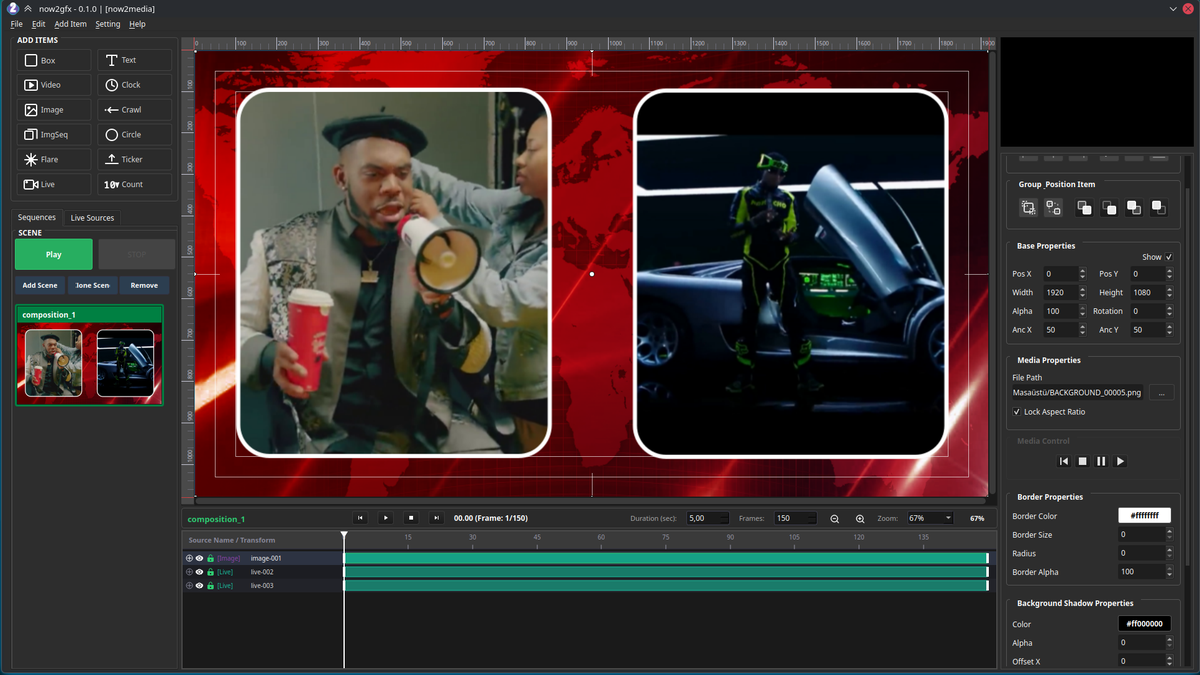
Advanced animation timeline.
Unlimited live sources
Bring in as many live inputs as the broadcast chain needs. Mix cameras, streams, and live clips on the same scene without limits.
12+ item types
Box, Text, Video, Image, Image Sequence, Optical Flare, Live, Clock, Crawl, Ticker, Circle, Counter.
Per-item properties
Video, Live, Image, and Image Sequence expose crop, border, and border-radius. Optical Flare adds angle and a motion mechanism.
Group, clone & copy
Group items into a single object, clone whole scenes, copy individual items between sequences.
Frame-based timeline
Timeline in frames, durations calculated from the project format. Zoom with the mouse wheel, hold Shift to release aspect.
Per-track duration
Each track carries its own length. Stagger loops, overlays, and intros without one of them forcing the others.
In · Stop · Loop · Out markers
In, Stop, Loop, and Out markers per track drive on-air animation. Loop plays between Loop and Out; In and Out enter and leave the scene.
Stop-marker exit
When Stop fires, playback starts from the Out marker and exits at the last frame of the animation. Clean on-air teardown.
Keyframe everything
Every property on every keyframe is editable. Animate crop, position, opacity, borders, angles — anything a property exposes.
Every item the scene needs.
| Inspector | Property |
|---|---|
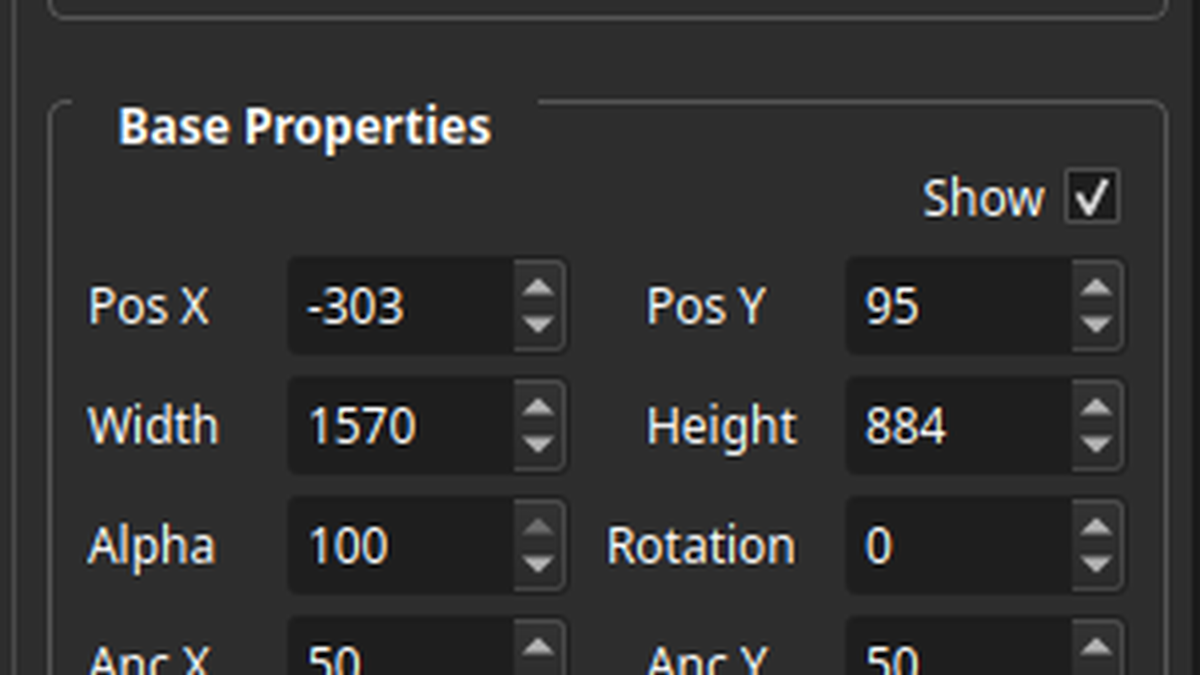
| itemBase | Position X/Y · Width · Height · Opacity · Rotation · Anchor X/Y · Show |
| bg | Background colour (solid or gradient) · BG alpha · BG radius |
| border | Border colour · Border size · Border alpha · Corner radius |
| bgShadow | Shadow colour · Shadow alpha · Offset X · Offset Y |
| text | Content · Font family · Size · Colour · Letter spacing · Padding |
| text | H-align (L/C/R) · V-align (T/C/B) · Stretch (auto / fit / fixed) · Auto-shrink |
| text | Outline size · Outline colour |
| textShadow | Text shadow colour · alpha · offset |
| crop | Crop box for Video · Image · Image Sequence · Flare · Live |
| flare | Count · Length · Wing · Brightness · Rotation |
| counter | Mode (countup / countdown) · Seconds · Format string |
| dateTime | Preset formats · Custom format string |
| media | Source file / stream URL |
| live | Live source URL · crop · border |
| Selection tools | Action |
|---|---|
| Align L · C · R | Align two or more selected items horizontally |
| Align T · M · B | Align two or more selected items vertically |
| Group / Ungroup | Combine items into one · break them back apart |
| Bring to Front | Move selection to top z-order |
| Bring Forward | Move selection one z-step up |
| Send Backward | Move selection one z-step down |
| Send to Back | Move selection to bottom z-order |
| Timeline | Behaviour |
|---|---|
| In marker | Animation enters the scene |
| Out marker | Animation leaves the scene |
| Loop marker | Loops the section between Loop and Out |
| Stop marker | Plays from the Out marker; exits at the last frame |
| Per-track duration | Independent length per track |
| Time unit | Frames · duration derived from project format |
| Zoom | Mouse wheel · hold Shift to release aspect |
| Wheel on inputs | Ignored unless the spinbox / combobox is focused |
| Keyframes | Every property on every keyframe is editable |
| Undo | State pushed on focus of any input widget |
Screenshots